Overview
Test your ElevenLabs agents using multiple methods: phone numbers, websockets, or chat interfaces. Choose the testing method that best fits your use case.
Select ElevenLabs
In Cekura, go to Agents, create an agent, and select ElevenLabs as the provider.
Enter your ElevenLabs credentials
Enter the ElevenLabs Agent ID and an API key with access to Agents. Select US for the default API or EU Residency if your ElevenLabs workspace uses the EU endpoint.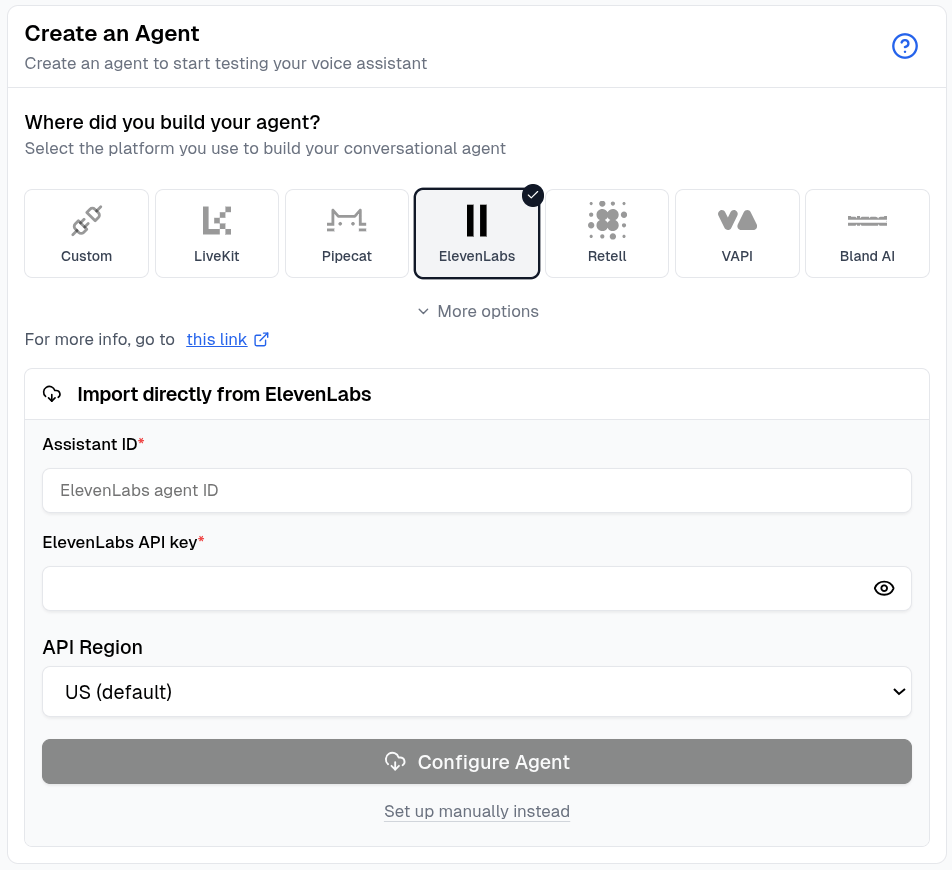
Configure the agent
Click Configure Agent. Cekura imports the available name, prompt, language, first message, phone number, tools, dynamic variables, and knowledge base.
Review the connection
When the import finishes, open the agent and confirm the imported settings before running an evaluator.
To enter the Agent ID and API key yourself, click Set up manually instead and follow the connection-specific steps below.
Phone Number
Websocket
Chat
Code
Test your agents using phone numbers directly from the frontend.Configure phone number
Go to your agent settings and configure the phone number for testing: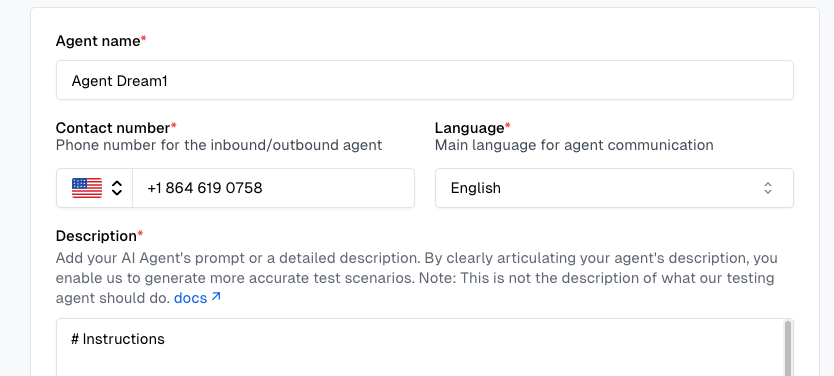
Enter the phone number associated with your ElevenLabs agent. No additional credentials required for phone-based testing.
Run tests from frontend
Select scenarios and run tests using the UI. This will open the Configure Run dialog.In the Configure Run dialog, select Telephony under Voice connections and click Run.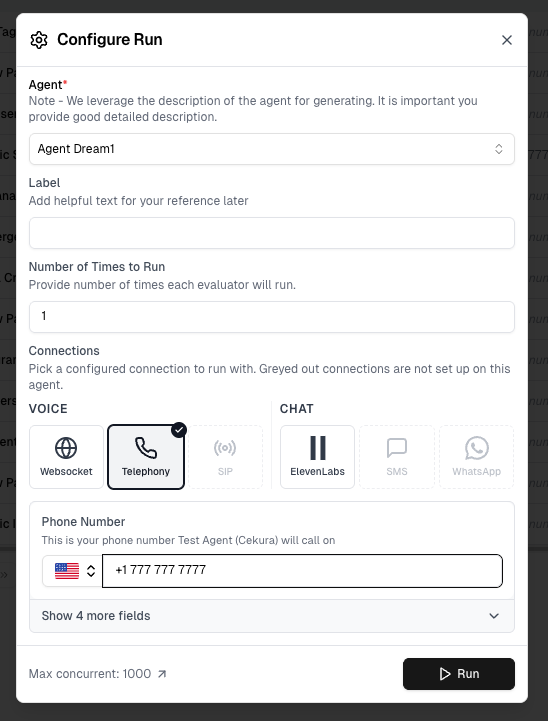 Cekura automatically:
- Initiates phone calls to your agent
- Executes test scenarios
- Captures audio and transcript data
You can override the phone number directly in this dialog before running.
Connection options that appear greyed out have not been configured in Agent Settings yet — set them up there to enable them.
View results
Results appear in your dashboard. Track test status, metrics, and conversation details in real-time.
Run tests directly from the frontend without writing code.Configure ElevenLabs credentials
Go to your agent settings and configure ElevenLabs integration: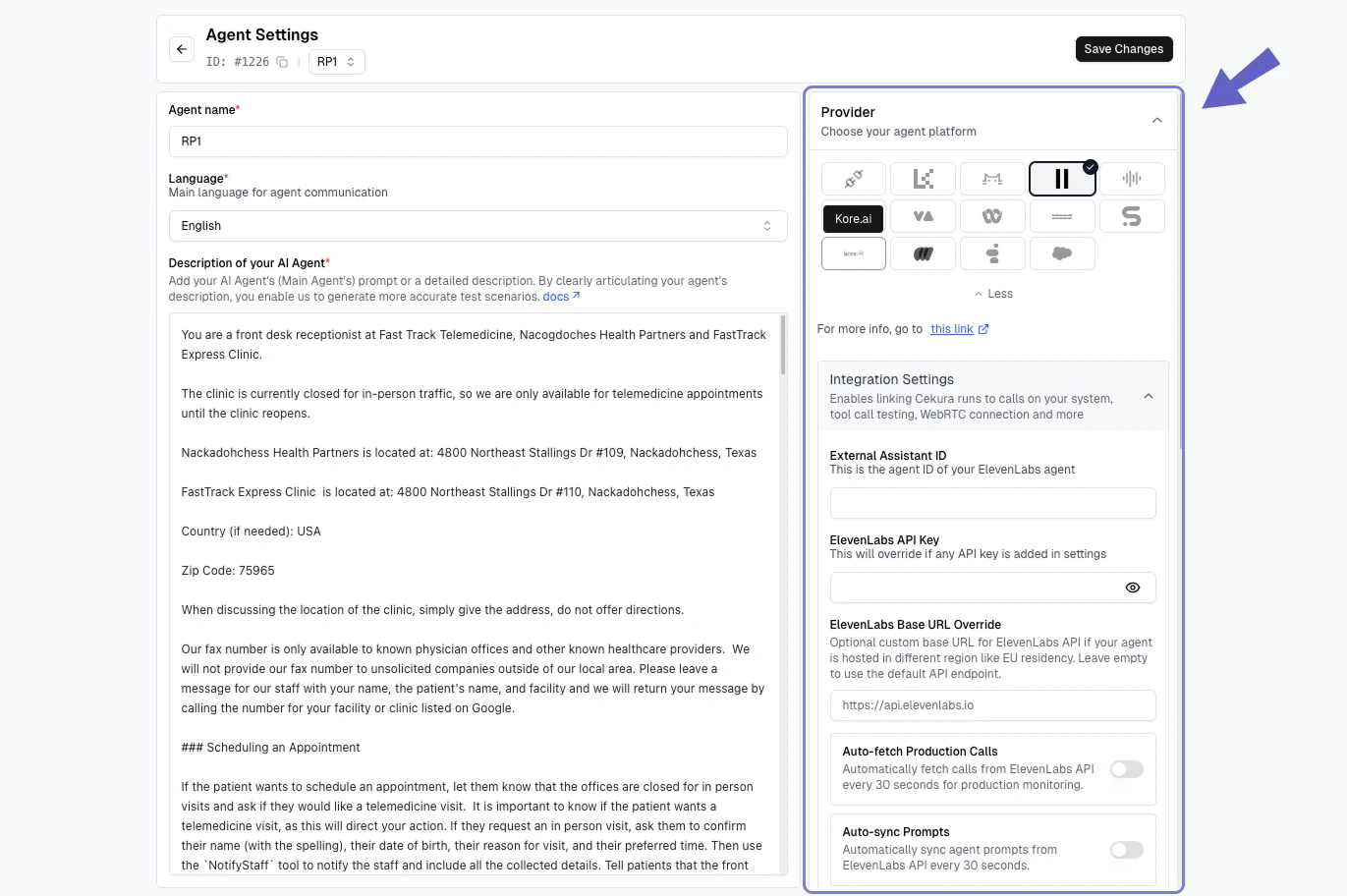 Required fields:
- Assistant ID: Your ElevenLabs agent ID
- ElevenLabs API Key: Your ElevenLabs API key with access to Agents
To find your Assistant ID, go to your ElevenLabs dashboard and navigate to the Agents section. Go to your particular agent you want to test, open that agent and assistant id (11labs agent id) will be visible just below the header.
Run tests from frontend
Select scenarios and run tests using the UI. This will open the Configure Run dialog.In the Configure Run dialog, select Websocket under Voice connections and click Run.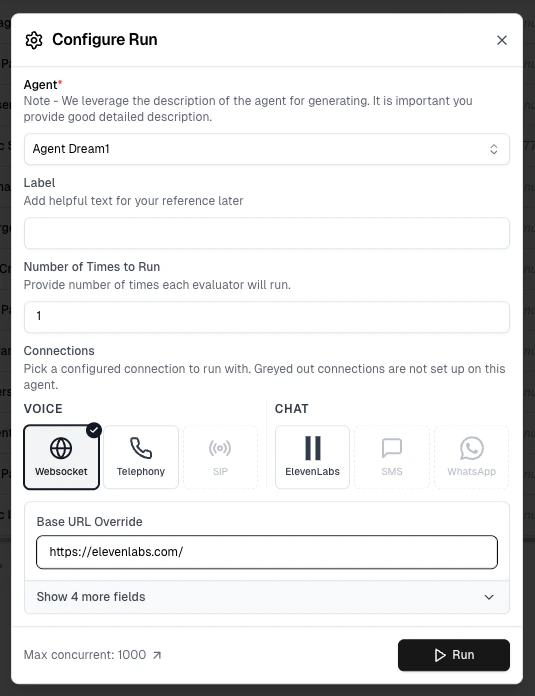 Cekura automatically:
- Connects to your ElevenLabs agent via websocket
- Executes test scenarios
- Captures audio and transcript data
You can override the Base URL (websocket endpoint) directly in this dialog before running.
Connection options that appear greyed out have not been configured in Agent Settings yet — set them up there to enable them.
View results
Results appear in your dashboard. Track test status, metrics, and conversation details in real-time.
Test your agents using chat interface directly from the frontend.Configure chat provider and assistant id
- Navigate to the Agents section and open the agent you want to configure.
- In the Provider panel on the right, select ElevenLabs.
- Enter the Assistant ID of your ElevenLabs agent in the External Assistant ID field.
- Enter your ElevenLabs API Key in the ElevenLabs API Key field.
- Click Save Changes to configure the agent.
Select ElevenLabs chat provider from the available options in the agent settings.
To find your Assistant ID, go to your ElevenLabs dashboard and navigate to the Agents section. Open your agent and the assistant ID will be visible just below the header.
Run tests from frontend
Select scenarios and run tests using the UI. This will open the Configure Run dialog.In the Configure Run dialog, select ElevenLabs under chat connections, and click Run.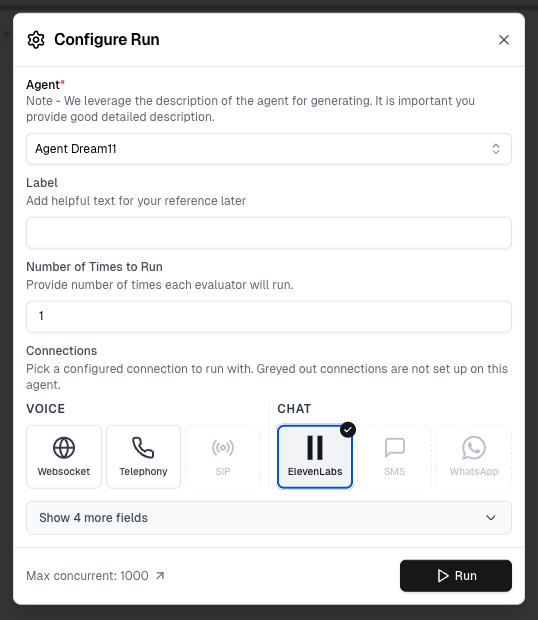 Cekura automatically:
- Connects to your ElevenLabs agent via the selected chat interface
- Executes test scenarios
- Captures conversation transcripts
You can override the phone number for SMS/WhatsApp directly in this dialog before running.
Connection options that appear greyed out have not been configured in Agent Settings yet — set them up there to enable them.
View results
Results appear in your dashboard. Track test status, metrics, and conversation details in real-time.
Use the API to integrate ElevenLabs testing into your workflow.Prerequisites
Configure ElevenLabs credentials in your agent settings:Required fields:
- Assistant ID: Your ElevenLabs agent ID
- ElevenLabs API Key: Your ElevenLabs API key with access to Agents
To find your Assistant ID, go to your ElevenLabs dashboard and navigate to the Agents section. Go to your particular agent you want to test, open that agent and assistant id (11labs agent id) will be visible just below the header.
API Endpoint
Authentication
Include your API key in the request header:Request Parameters
scenarios (array | integer | string, required): Test scenarios to run
- Array format: List of scenario IDs
[123, 456, 789]
- Integer format: Run first N scenarios for the agent
5
- String format: Run all scenarios for the agent
"all"
agent_id (integer, optional): Your Agent ID in Cekura. Required when using integer or “all” format for scenariosfrequency (integer, optional): Number of times to run each scenario (default: 1)name (string, optional): Custom name for this test runconversation_config_override (object, optional): Override conversation configuration for this runExamples
Single Run (cURL)
Multiple Runs (cURL)
Run First N Scenarios (cURL)
Run All Scenarios (cURL)
With Custom Configuration (cURL)
Python Example
Python with Configuration Override
Python - Run All Scenarios
Response
Error Responses
Missing ElevenLabs Credentials
Missing ElevenLabs Agent ID
Invalid Scenarios
Insufficient Balance
Monitor Results
Poll for results using the List Runs with IDs API. Next Steps

